

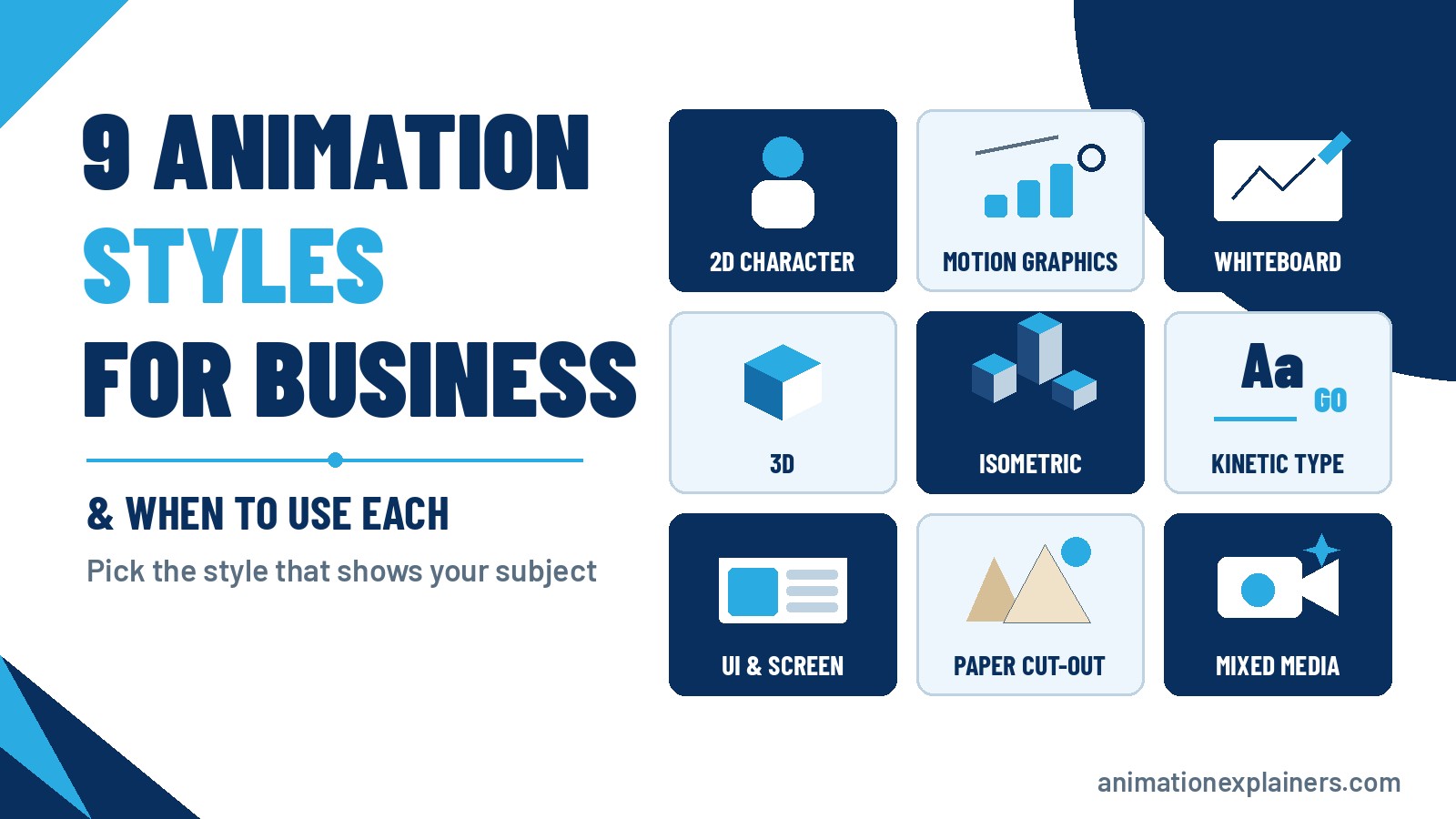
9 Animation Styles for Business Videos & When to Use Each
The main animation styles for business videos are 2D character animation, motion graphics, whiteboard, 3D, isometric, kinetic typography, UI animation, paper cut-out and mixed media. Choose by what the viewer needs to see: people suit characters, data suits motion graphics, physical products suit 3D, and step-by-step teaching suits whiteboard.
This guide is for the person commissioning a film, not the animator: the nine types of animation styles businesses actually use, what each is good at, when to think twice, and how to choose.
For the wider picture of how explainer videos are planned and made, start with our explainer video guide.
Animation styles at a glance
Pick the style that shows your subject most clearly, not the one that looks most impressive. Most of the explainer videos we make use 2D or motion graphics; 3D earns its place when the product is physical.
| Style | What it looks like | Best for | Think twice if |
| 2D character animation | Illustrated people in flat, designed scenes | Customer stories, services, HR, training | The subject is mostly data |
| Motion graphics | Icons, charts and text in motion | Software, data, processes | Emotion needs a person |
| Whiteboard | A hand drawing the story | Teaching and step-by-step ideas | The brand must look premium |
| 3D animation | Rendered objects with depth and light | Physical products, machinery, devices | A flat drawing would do |
| Isometric | Angled, map-like scenes of systems | Platforms, logistics, infrastructure | The story is one person’s |
| Kinetic typography | The words move with the voice | Social cuts, event openers | The idea needs pictures |
| UI and screen animation | Your interface, redrawn and animated | Software demos, onboarding | The interface changes often |
| Paper cut-out and collage | Textured, hand-made layers | Warm, crafted or playful brands | You need a clean corporate look |
| Mixed media | Animation with live action or photos | Brand films with real people | Budget or time is tight |
1. 2D character animation
2D character animation is what most people picture when they think of an explainer video: designed characters moving through a short story in flat, illustrated scenes. A character gives the viewer someone to recognise, which suits stories about a problem and its solution.
Best for: services, consumer products, HR and recruitment, charity and public-sector messages, training about behaviour rather than buttons.
Think twice if: the subject is mostly figures or mechanics. Characters take longer to design and animate than icons.
NHF’s film opens on local people in rural villages who can’t find a home they can afford, then shows how a few more affordable homes keep a teacher at the school and customers in the shop and the pub. The characters make an economic argument feel personal.
Character design is where most of the effort goes in 2D explainer videos, so agree the look of one character before the rest are drawn.
2. Motion graphics
Motion graphics animate icons, shapes, charts, interface elements and text, usually without characters. It’s the natural style for software, finance and anything with a process or a number in it, because the ideas themselves can be drawn and moved.
Best for: SaaS and B2B products, data and analytics, product announcements, internal updates.
Think twice if: the message depends on a human story.
Kemper’s film for a new personal auto insurance product shows the style at its cleanest: icons on a white background take the viewer from the new offer to quoting and binding a policy, and the on-screen words work as hard as the voiceover.
See our motion graphics videos page for how we approach it.
3. Whiteboard animation
Whiteboard animation shows a hand drawing the story on a white background as the voiceover explains it. Each drawing appears in order, so the viewer follows the logic as it builds, which makes it one of the clearest styles for teaching.
Best for: training and onboarding, education, frameworks and processes explained one step at a time.
Think twice if: the brand needs to look premium or colourful.
Whiteboard explainer videos work best when the script is written as a sequence of drawings, not a list of points.
4. 3D animation
3D animation builds objects and spaces as digital models, then lights and renders them, so a product can be shown from any angle, taken apart or seen working inside. Choose it when the shape, mechanism or material of the thing is the point.
Best for: physical products, machinery and robotics, medical devices, architecture and spaces.
Think twice if: a flat illustration would explain it just as well. 3D usually takes longer than 2D, and late changes cost more.
Apera’s film shows a robot cell taking parts from a bin and loading them into a fixture, then walks through setting it up in three steps. A machine like that is hard to film clearly and easy to show in 3D.
For more, see our 3D animation production page, or 3D product animation if you’re showing a physical product.
5. Isometric animation
Isometric animation (sometimes called 2.5D) draws scenes from a fixed, angled viewpoint, so a whole system appears at once, like a map: buildings, devices, vehicles and the data or goods moving between them. It gives depth without full 3D.
Best for: logistics and supply chains, infrastructure, platforms with many connected parts.
Think twice if: the story is about one person. Isometric scenes are seen from a distance, so many films pair an isometric overview with a closer 2D scene.
6. Kinetic typography
Kinetic typography animates the words themselves, moving and scaling text in time with the voiceover or music. The message is read as well as heard, so it works on mute in social feeds.
Best for: short social ads, event openers, values or manifesto films, cut-downs of a longer explainer.
Think twice if: the idea needs pictures. Longer films usually use kinetic type for key lines inside a 2D or motion graphics film.
Our kinetic typography post has more on how the style works.
7. UI and screen animation
UI animation recreates your product’s interface in clean, animated form: screens, dashboards and data, simplified so the viewer sees only what matters.
Best for: software demos, feature launches, onboarding and help content.
Think twice if: your interface changes often. Ask for screens to be built so they can be swapped later.
InterSystems’ film shows data trapped in separate sources, then pulled into one real-time view and passed on to applications and reporting tools. The interface and the data are both drawn, so nothing distracts from the idea.
8. Paper cut-out and collage
Cut-out and collage styles build scenes from textured, layered pieces that look hand-made: paper, card, photographs and printed shapes, usually assembled digitally.
Best for: brands that want to feel human or playful, charities and culture, social content that needs to stand out.
Think twice if: the audience expects a clean corporate finish, or the subject is technical.
Our guide to paper cut-out animation covers how the style works and where it came from.
9. Mixed media: animation with live action
Mixed media combines animation with live footage or photography: a presenter with animated diagrams, real product shots with data drawn over the top, or animated characters in a real setting. You keep a real face or place while explaining what a camera can’t show.
Best for: brand and recruitment films, founder or customer stories, products that mix real hardware with animated insides.
Think twice if: budget or timeline is tight, because you’re running a shoot and an animation project at once. If you’re unsure whether to film at all, see our comparison of live action vs animation.
Animation style vs animation technique
Lists of animation “types” often mix two different things. A technique is how the film is made, such as hand-drawn frames, stop motion, 3D modelling or rotoscoping. A style is how the finished film looks and feels, such as flat vector characters, clean motion graphics or a whiteboard sketch.
The same technique can produce very different styles, and different techniques can end up looking alike. For a business video, start with the style, because that is what your audience sees. Your production team then picks the technique that gets there on your budget and timeline.
Production tools are changing too. AI can speed up parts of the process, such as rough storyboards and in-betweens, but the choice of style, the script and the brand feel still need a human creative lead.
How to choose an animation style
When it comes to animation styles for explainer videos, there’s no single best choice. Work through it in this order:
- Start with the subject. Write down what the viewer must see to understand you: a person, a process, a product, a system or a set of figures. That usually narrows it to two or three styles.
- Name the viewer. A busy engineer, a new employee and a consumer in a feed take different styles seriously.
- Check it against your brand. A playful style can undercut a serious message, and a cold one can flatten a warm brand.
- Decide where it will play. Silent feeds favour kinetic type and strong on-screen words; long training favours whiteboard or 2D.
- Plan for updates. If the product, prices or screens will change, choose a style and a build that can be edited.
- Ask for a style frame first. One finished still of a key scene shows how the film will look while changes are still cheap.
A sensitive subject can decide it on its own. BTi’s film explains a change to a surgical workflow, collecting amniotic fluid during a routine C-section. Clean 2D medical illustration shows each step, where theatre footage would be graphic and hard to follow.
Other animation styles you’ll come across
These styles are better known from film and television. They suit some brands, but they’re slower to make and harder to change:
- Stop motion and claymation: real objects or clay figures photographed a frame at a time. See our post on claymation.
- Hand-drawn and cel animation: traditional frame-by-frame drawing, now mostly digital.
- Rotoscope: animation traced over live footage.
- Anime-influenced animation: a Japanese-inspired look with expressive characters and stylised motion, used by some consumer and entertainment brands.
- Cel shading and 2.5D: 3D models rendered to look flat and hand-drawn, a way to get a 2D feel with 3D camera moves.
- Mechanical animation: precise 3D renders of machines and components that show how a product works inside.
- Animated infographics: data and charts brought to life, closely related to motion graphics.
For a broader tour of techniques, see our guide to the different types of animation.
Does the animation style change the cost?
Yes. Style is one of the main things that moves the price, alongside length and complexity. Character animation and 3D usually take more time than motion graphics, whiteboard or kinetic type, and mixed media adds a shoot.
At Animation Explainers, projects typically range from $6,000 to $35,000 and beyond. A typical 60 to 90 second animated explainer takes about 4 to 6 weeks, with three rounds of revisions, one per stage, and you own the rights to the finished video. Our explainer video cost guide explains what moves the price.
Not sure which style fits?
We make explainer videos in every style on this page. Get in touch with a line about what you’re explaining and who it’s for, and we’ll suggest a style, or a mix of two, before anything is drawn.
FAQ
What are the main types of animation styles?
The main animation styles in business video are 2D character animation, motion graphics, whiteboard, 3D, isometric, kinetic typography, UI animation, paper cut-out and mixed media. Stop motion, claymation, cel animation and rotoscope are more common in film and television.
Which animation style is best for an explainer video?
The one that shows your subject most clearly. 2D characters suit stories about people, motion graphics suits software and data, whiteboard suits teaching and 3D suits physical products. Most of the explainer videos we make use 2D or motion graphics, often mixed.
What is the difference between 2D animation and motion graphics?
2D character animation tells a story through designed characters; motion graphics animates icons, charts and text, usually without characters. Characters are stronger for emotion, and motion graphics for data, processes and features.
When should you use whiteboard animation?
When the main job is teaching something one step at a time. It suits training, onboarding and frameworks because each drawing appears in order. For a premium brand, a coloured whiteboard look or a mix with 2D often works better.
When is 3D animation worth it?
When the shape, mechanism or material of a physical thing is the point. It suits products, machinery, medical devices and spaces that need to be seen from any angle or working inside. If a flat illustration would do, 2D is usually faster.
Can you mix animation styles in one video?
Yes, and many good explainer videos do. Common mixes are motion graphics with character scenes, kinetic type inside a 2D film, or animation over live footage.
Does the animation style affect the cost?
Yes, along with length and complexity. At Animation Explainers, projects typically range from $6,000 to $35,000 and beyond, and a typical 60 to 90 second animated explainer takes about 4 to 6 weeks, with three rounds of revisions.
What are the main types of animation styles?
The main animation styles in business video are 2D character animation, motion graphics, whiteboard, 3D, isometric, kinetic typography, UI animation, paper cut-out and mixed media. Stop motion, claymation, cel animation and rotoscope are more common in film and television.
Which animation style is best for an explainer video?
The one that shows your subject most clearly. 2D characters suit stories about people, motion graphics suits software and data, whiteboard suits teaching and 3D suits physical products. Most of the explainer videos we make use 2D or motion graphics, often mixed.
What is the difference between 2D animation and motion graphics?
2D character animation tells a story through designed characters; motion graphics animates icons, charts and text, usually without characters. Characters are stronger for emotion, and motion graphics for data, processes and features.
When should you use whiteboard animation?
When the main job is teaching something one step at a time. It suits training, onboarding and frameworks because each drawing appears in order. For a premium brand, a coloured whiteboard look or a mix with 2D often works better.
When is 3D animation worth it?
When the shape, mechanism or material of a physical thing is the point. It suits products, machinery, medical devices and spaces that need to be seen from any angle or working inside. If a flat illustration would do, 2D is usually faster.
Can you mix animation styles in one video?
Yes, and many good explainer videos do. Common mixes are motion graphics with character scenes, kinetic type inside a 2D film, or animation over live footage.
Does the animation style affect the cost?
Yes, along with length and complexity. At Animation Explainers, projects typically range from $6,000 to $35,000 and beyond, and a typical 60 to 90 second animated explainer takes about 4 to 6 weeks, with three rounds of revisions.